



Homeschooling and Your Child’s Vision: How to Reduce Eyestrain
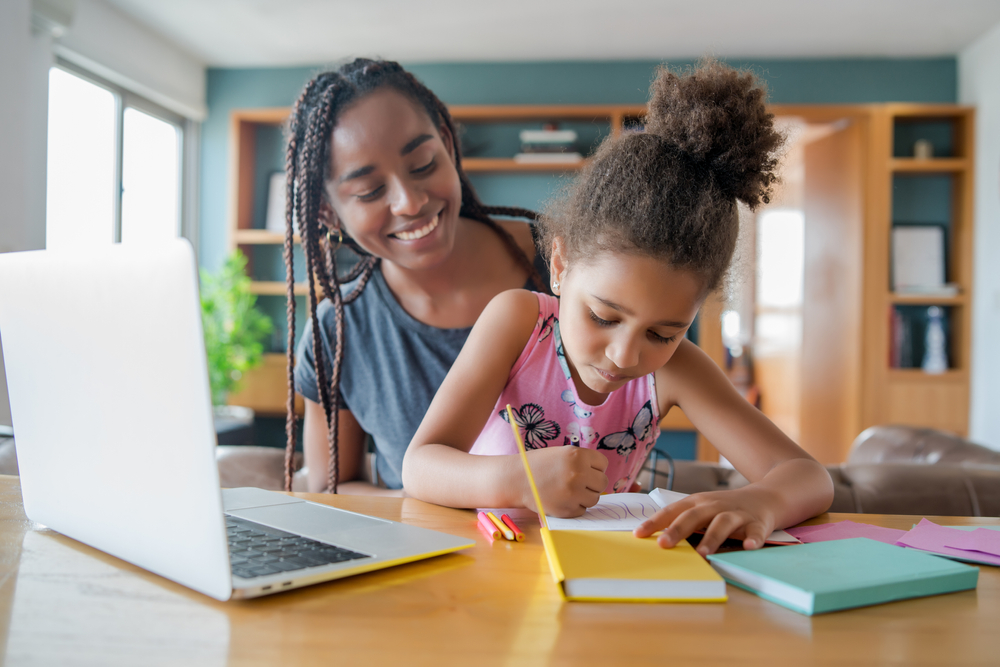
A topic that comes up frequently in the exam room is school. Today there are almost as many ways to educate children as there are children. Many kids learn through a mix of classroom instruction, co-ops, microschools, virtual school, and homeschooling, often supported by tutors, educational specialists, and therapists.
Every child’s situation is unique. Families should choose the approach that works best for them.
Homeschooling can be a wonderful opportunity for both parents and children, but it can also be visually demanding. When the visual work children do exceeds what their eyes can comfortably handle, it can interfere with learning and sometimes create additional vision problems.
As an optometrist who has specialized in children's vision for more than 20 years, I have worked with many families navigating homeschooling and online learning. Below are some practical guidelines to help your child learn comfortably while reducing eyestrain.
Why Vision Matters for Homeschooling
Our eyes are most comfortable when looking straight ahead at a distance. When we read, write, or use digital devices, the eyes must work harder to focus up close.
These near-vision tasks make up a large portion of homeschooling.
For many years, optometrists have treated adults with Computer Vision Syndrome (CVS), a group of eye and vision problems caused by prolonged computer use. Research now shows that children experience these symptoms as well.
Common symptoms include:
Eyestrain
Headaches
Blurred vision
Dry eyes
Neck and shoulder pain
Any of these symptoms can make learning more difficult. Fortunately, simple adjustments to a child’s study environment can make a big difference.
1. Create a Comfortable Study Setup
Many parents set up study areas in common spaces like the living room or dining room. This allows parents to supervise learning and creates a clear separation between work and play areas.
Even though traditional books are still valuable, much education now happens on digital devices. When choosing a screen:
Bigger is better. Larger screens make text easier to read and reduce eye strain.
Helpful adjustments include:
Increasing screen magnification to 110 percent or 125 percent
Using dark mode or white text on a dark background
Positioning the screen directly in front of the child
Keeping the screen at least an elbow’s distance away
Furniture matters too.
Use a firm chair with good back support
If feet cannot reach the floor, add a footrest
Ensure the study area has comfortable lighting without glare
Keep a water bottle nearby to encourage hydration
Reduce clutter to limit distractions
2. Encourage Good Posture
Children may not naturally maintain ideal posture, but reminders can help prevent discomfort during longer study sessions.
Healthy desk posture includes:
Back supported by the chair
Feet flat on the floor or footrest
Head balanced over the shoulders
Upper arms relaxed near the body
Elbows slightly greater than a 90-degree angle
Wrists in a neutral position
Good posture reduces strain on both the eyes and the body.
3. Do Children Need “Study Glasses”?
Unlike adults, most children can focus easily up close, so they may not complain about screen use. However, some children still experience visual problems that make sustained near work difficult.
Glasses may help if a child has:
Refractive errors
Even mild farsightedness or astigmatism can cause headaches and fatigue during prolonged reading or screen use.
Focusing problems
Some children struggle to maintain clear focus during extended near work.
Rapid visual fatigue
A child may see clearly for 15 or 20 minutes but then lose concentration because their visual system tires.
Eye coordination problems
When the eyes do not work together efficiently, reading and screen tasks can become uncomfortable.
Some children also require specialized prescriptions such as prism lenses or bifocals.
If your child struggles with near work, an eye examination can help determine whether glasses may help.
4. What About Blue Light?
Blue light from digital screens received a lot of attention in recent years. Current research suggests that screen light itself is unlikely to cause permanent eye damage.
Ultraviolet light from the sun is actually a much greater concern, which is why UV-blocking sunglasses are recommended for all ages.
Blue light can affect sleep cycles by disrupting circadian rhythms. Limiting screen use for a few hours before bedtime is ideal. When that is not possible, night-mode screen settings may help reduce sleep disruption.
If your child frequently experiences screen-related fatigue, it is best to consult your optometrist to rule out underlying vision issues.
5. Encourage Regular Breaks
When children spend long periods reading or using digital devices, their eyes need regular breaks.
Optometrists refer to healthy viewing habits as visual hygiene.
A helpful rule is to take a break every 30 minutes. Encourage your child to stand up, move around, and look away from close work for at least five minutes.
Checking a phone during a break does not count. The eyes need a chance to relax and focus at a distance.
6. Get Outside
One of the best things children can do during study breaks is go outside.
Outdoor time provides several important visual benefits:
The eyes can relax by focusing on distant objects
Natural light contains the full spectrum of wavelengths
Children blink more often outdoors, which keeps eyes comfortable
Physical activity improves mood and concentration
Research also shows that increased outdoor time helps reduce the risk of developing myopia (nearsightedness).
Even short outdoor breaks can make a meaningful difference.
7. When to Schedule an Eye Exam
Some children are more likely to struggle with the visual demands of homeschooling.
You should schedule an eye exam if your child:
Already has known vision problems
Complains of headaches, fatigue, or eyestrain
Is overdue for a yearly eye exam
One symptom many homeschooled children do not notice is blurry distance vision. Because they are not looking at a classroom whiteboard, early myopia can sometimes go unnoticed.
Both nearsightedness and eyestrain from excessive near work are becoming more common due to increased screen time and reduced outdoor activity.
Fortunately, these conditions can often be managed with:
Healthy visual habits
Glasses when appropriate
Myopia control treatments
Vision therapy when needed
Discuss these options with your child’s eye doctor during their visit.
Supporting Healthy Vision While Homeschooling
Homeschooling offers flexibility and unique opportunities for learning, but it also places new demands on a child’s eyes.
By creating a comfortable study setup, encouraging good posture, scheduling breaks, and ensuring regular eye exams, parents can help children learn effectively without unnecessary eyestrain.
If you have questions about your child’s vision, we are happy to help.
Visit brighteyestampa.com or call (813) 792-0637 to schedule an appointment.
Dr. Nate Bonilla-Warford
Bright Eyes Family Vision Care


OFFICE HOURS
| Monday | 9:00am - 5:00pm |
| Tuesday | 9:00am - 5:00pm |
| Wednesday | 9:00am - 6:00pm |
| Thursday | 9:00am - 5:00pm |
| Friday | 9:00am - 5:00pm |
| Saturday | By Appointment Only |
| Sunday | Closed |
OFFICE HOURS
| Monday | Closed |
| Tuesday | 9:00am - 5:00pm |
| Wednesday | 9:00am - 6:00pm |
| Thursday | 9:00am - 5:00pm |
| Friday | Closed |
| Saturday | By Appointment Only |
| Sunday | Closed |
© 2026 Bright Eyes Family Vision Care All rights Reserved. Privacy Policy Sitemap
Powered by
